Your cart is empty
How to Troubleshoot and Resolve Failed Login Issues in OSRS
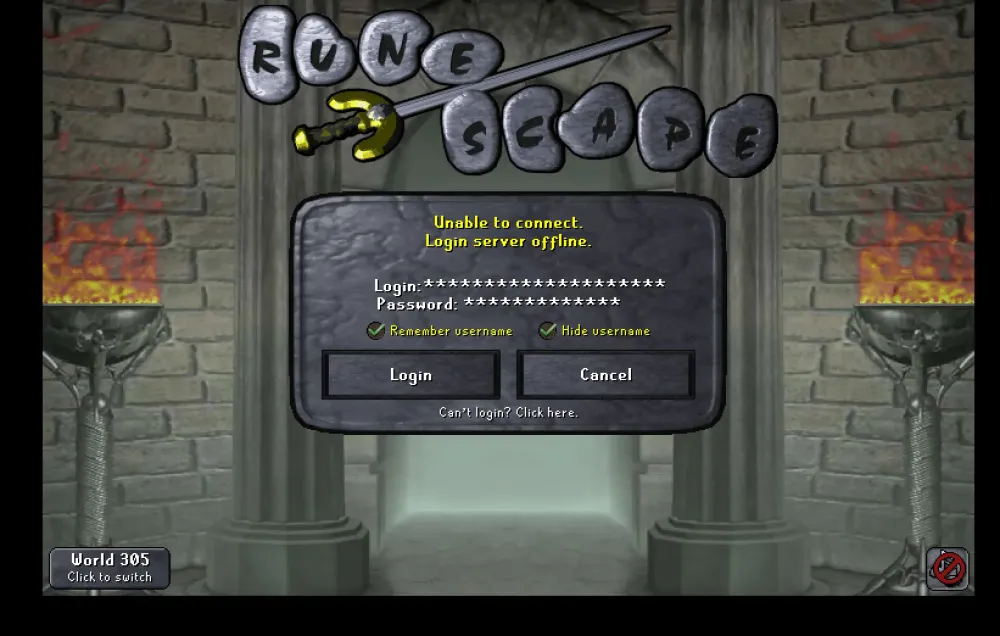
Old School RuneScape (OSRS) offers an immersive gaming experience, but players occasionally encounter login issues that can hinder their gameplay. Understanding the login process and the potential reasons behind failures is crucial for a smooth experience. This guide aims to help players troubleshoot and resolve common login problems effectively.
Login failures in OSRS can stem from various causes, some of which can be easily resolved. Here are the most common reasons:
- Incorrect Username or Password: One of the primary reasons for login failures is entering the wrong username or password. Ensure that you are using the correct credentials, paying attention to any typos, case sensitivity, or additional spaces.
- Account Lockouts: Accounts can be temporarily locked after multiple failed login attempts. This is a security measure to prevent unauthorized access. If you receive a message indicating that your account is locked, wait for a specified period before trying again.
- Two-Factor Authentication (2FA) Issues: If you have enabled 2FA on your account, ensure that you are entering the correct authentication code. If you are having trouble receiving the code, check your email or authenticator app settings.
- Server Issues: Sometimes, the OSRS servers may be down or experiencing high traffic. Check the official OSRS Twitter account or community forums for any announcements regarding server status.
- ISP or Network Problems: Your Internet Service Provider or local network issues can prevent you from connecting to the game servers. Test your internet connection and try restarting your router to resolve any temporary connectivity problems.
- Firewall or Antivirus Interference: Security software may block OSRS from connecting to the internet. Ensure that your firewall or antivirus settings allow OSRS to access the network. You may need to add OSRS to the list of exceptions.
- Outdated Client: Using an outdated version of the OSRS client can also lead to login issues. Make sure your game client is up-to-date by downloading the latest version from the official OSRS website.
By understanding these common reasons for login failures, players can take the necessary steps to troubleshoot and resolve their issues effectively, ensuring a smoother gaming experience in OSRS.
3. Step-by-Step Guide to Resetting Your Password
If you’re facing login issues in Old School RuneScape (OSRS), one of the first things you should try is resetting your password. Here’s a simple, step-by-step guide to help you through the process:
- Visit the Official Website: Go to the OSRS official website to start the password reset process.
- Click on ‘Forgot Password?’: On the login page, look for the option that says ‘Forgot Password?’ and click on it.
- Enter Your Username or Email: You will be prompted to enter your account username or the email linked to your account. Make sure to double-check for any typos.
- Check Your Email: After submitting your information, check your email inbox for a password reset link. Don’t forget to look in your spam or junk folder, just in case.
- Follow the Link: Click on the link in the email, and it will direct you to a page where you can create a new password.
- Create a Strong New Password: Choose a password that is at least 8 characters long, mixes uppercase and lowercase letters, numbers, and symbols. This will enhance your account security.
- Confirm Your New Password: Enter your new password again to confirm it and then submit.
- Log In: Return to the login page and enter your username and new password. You should now have access to your account!
And voilà! You’ve successfully reset your password and can get back to your adventures in Gielinor.
4. Checking Server Status and Maintenance Updates
Sometimes, the issue with logging in might not be on your end at all! Server downtime or maintenance can cause login failures in OSRS. Here’s how you can check the server status and stay updated on maintenance:
- Official Forums: Head over to the OSRS official forums where Jagex posts updates regarding server status and scheduled maintenance.
- Social Media: Follow OSRS on social media platforms like Twitter or Facebook. They often post real-time updates about server issues or maintenance schedules.
- Community Discord: Join the OSRS community Discord server. This is a great place to get instant updates from other players and mods about server status.
Additionally, you can also check the following:
| Source | Details |
|---|---|
| Official Website | Check the news section for announcements about maintenance. |
| Downdetector | Visit Downdetector to see if other players are experiencing similar login issues. |
By staying informed about server status and maintenance updates, you can better understand if the login issues are widespread or specific to your account. This can save you a lot of troubleshooting time!
5. Using the Correct Login Credentials
When you’re trying to log into Old School RuneScape (OSRS) and can’t seem to get in, the first thing to check is your login credentials. It sounds simple, but sometimes we make little mistakes that can lead to a failed login. Here are some tips to ensure that you’re using the correct credentials:
- Username vs. Email: Make sure you’re entering the right type of login. If your account was created using an email address, you need to use that email as your username.
- Correct Password: Double-check your password. It’s easy to mistype, especially if you’re using a mix of uppercase and lowercase letters.
- No Extra Spaces: When copying and pasting your credentials, ensure there are no extra spaces before or after your username or password.
- Caps Lock and Num Lock: Confirm that your Caps Lock and Num Lock keys are in the right state. Passwords are case-sensitive, so even a minor misstep can lead to login failure.
- Account Status: If you suspect your account might be locked or banned, check your email for any notifications from Jagex regarding your account status.
If you’ve checked all of these and still can’t log in, it might be time to reset your password. Follow the steps provided on the OSRS login page to initiate a password reset. It’s a straightforward process, and you’ll be back to questing in no time!
6. Troubleshooting Network Issues
If your login credentials are correct but you’re still facing login issues, the next step is to check your network connection. Sometimes, network problems can prevent you from accessing OSRS. Here are some common troubleshooting steps:
- Check Your Internet Connection: Ensure that your device is connected to the internet. You can do this by trying to load another website or app.
- Restart Your Router: If you’re having connectivity issues, a quick restart of your router can often resolve them. Simply unplug it, wait for about 30 seconds, and plug it back in.
- Firewall and Antivirus Settings: Sometimes, your firewall or antivirus software may block OSRS. Check the settings to ensure that the game isn’t being blocked.
- Use a Different Network: If possible, try logging in from a different Wi-Fi network or switch to mobile data. This can help determine if your network is the issue.
- Check Jagex’s Server Status: Occasionally, OSRS could be down for maintenance or experiencing server issues. Visit the official OSRS Twitter account or website to check for any updates.
By following these troubleshooting steps, you can identify and resolve network issues that may be preventing you from logging into OSRS. Remember, a stable connection is key to enjoying your gaming experience!
Contacting OSRS Support for Further Assistance
If you’ve tried all the troubleshooting steps and still can’t log into your Old School RuneScape (OSRS) account, don’t worry—there’s still hope! The next step is to reach out to OSRS support for further assistance. Here’s how you can do that:
- Visit the Support Page: Go to the official OSRS website and find the support section. This is usually located at the bottom of the homepage.
- Submit a Ticket: Use the ticket submission form to detail your issue. Be as specific as possible; include your username, the error message you’re receiving, and any troubleshooting steps you’ve already attempted.
- Check the FAQs: Often, the support page will have a list of frequently asked questions that may address your issue without needing to submit a ticket.
- Follow Up: After submitting your ticket, keep an eye on your email for responses from the support team. They may ask for further information or provide solutions to your issue.
Remember to be patient; support teams often handle numerous requests. Providing clear and concise information can speed up the process and help you get back to your game sooner!
Preventing Future Login Issues
Now that you’ve resolved your login issue, you might be wondering how to prevent it from happening again. Here are some practical tips to keep your OSRS account secure and accessible:
- Use a Strong Password: Choose a complex password that includes a mix of letters, numbers, and symbols. Avoid common words or easily guessable information.
- Enable Two-Factor Authentication: If OSRS offers this feature, enable it. This adds an extra layer of security to your account.
- Keep Your Email Secure: Since your login information is often sent to your email, ensure that your email account is secure. Use strong passwords and enable two-factor authentication for your email as well.
- Regularly Update Your Recovery Information: Make sure your recovery email and phone number are up to date. This can help you regain access if you ever get locked out.
- Log Out After Use: Always log out of your account when you’re done playing, especially on shared devices.
By following these steps, you can minimize the risk of future login issues and enjoy a smoother gaming experience in OSRS!
Community Tips and Tricks
Resolving failed login issues in Old School RuneScape (OSRS) can be frustrating, but the community has compiled a wealth of tips and tricks to help players regain access to their accounts. Here are some practical solutions to troubleshoot common login problems:
- Check Server Status: Before diving into troubleshooting, ensure that the OSRS servers are online. You can check the official status page or community forums for any ongoing issues.
- Verify Credentials: Double-check your username and password. Ensure there are no typos, and remember that passwords are case-sensitive.
- Clear Cache and Cookies: Sometimes, browser issues can cause login failures. Clear your browser’s cache and cookies to refresh the login process.
- Disable VPN/Proxy: If you are using a VPN or proxy, try disabling it. OSRS may restrict access from certain IP addresses.
- Check for Account Locks: If you’ve attempted to log in too many times unsuccessfully, your account may be temporarily locked. Wait for a while before trying again.
- Enable JavaScript: Ensure that JavaScript is enabled in your browser settings, as it is essential for the game to function properly.
- Use the Official Client: Consider using the official OSRS client instead of a browser. This often resolves many technical issues.
If the above steps do not resolve your login issues, consider reaching out to Jagex Support for further assistance. The community is also a valuable resource, with many players willing to share their experiences and solutions.