Your cart is empty

Resolving OSRS Mobile Login Issues: A Comprehensive Guide
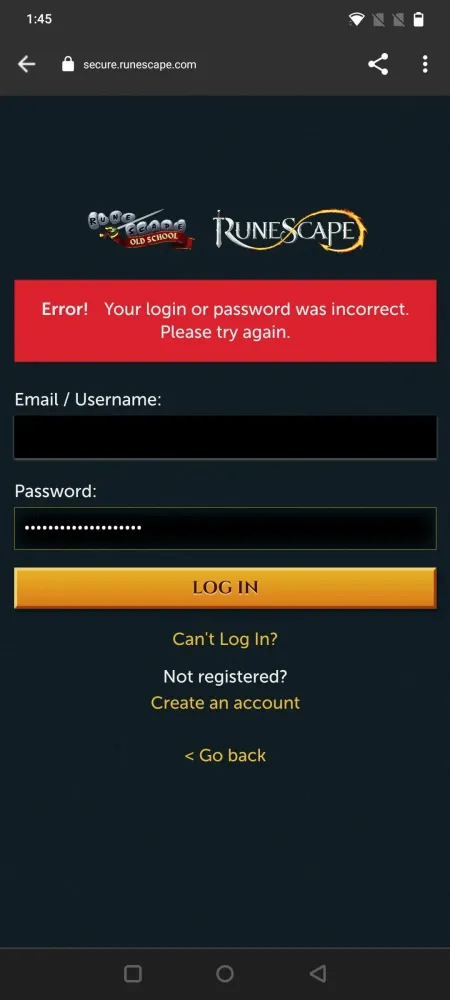
Old School RuneScape (OSRS) has captivated players with its nostalgic charm and engaging gameplay. However, many users encounter login issues when attempting to access the game on mobile devices. This guide aims to explore the nature of these problems and provide insights into troubleshooting methods to enhance your gaming experience.
Several factors can contribute to login issues in OSRS Mobile. Understanding these common causes can help players quickly identify and resolve the problem.
1. *Server Status: One of the most frequent causes of login problems is server downtime or maintenance. Jagex periodically carries out updates and maintenance, which can temporarily prevent players from logging in. Always check the official OSRS Twitter account or website for real-time server status updates.
2. Internet Connection: A stable internet connection is essential for a smooth gaming experience. Weak signal strength, network congestion, or connectivity issues can lead to problems when trying to log in. Ensure that your mobile device is connected to a reliable Wi-Fi network or has a strong cellular signal before attempting to access the game.
3. Account Credentials: Incorrect login credentials, such as your username or password, can prevent access. Double-check the information you are entering and ensure that your Caps Lock key is not accidentally turned on. If you’re unsure about your password, consider using the password recovery option provided by Jagex.
4. App Updates: Outdated versions of the OSRS mobile app may lead to compatibility issues. Regular updates are released to fix bugs and improve performance. Make it a habit to check for updates in the App Store or Google Play Store and install them promptly to ensure optimal functionality.
5. Device Compatibility: Not all mobile devices support the latest version of OSRS. Ensure that your device meets the minimum requirements for the game. If your device is older or running an outdated operating system, you may experience login issues. Upgrading your device or operating system can resolve these problems.
6. Cache and Data Issues*: Accumulated cache and data can cause performance issues, including login difficulties. Clear the cache of the OSRS app through your device settings. Additionally, reinstalling the app can help eliminate any corrupted files that might be causing the problem.
By understanding these common causes of login problems, players can take proactive steps to troubleshoot and rectify issues, ensuring a more seamless gaming experience on OSRS Mobile.
How to Troubleshoot OSRS Mobile Login Issues
If you’re having trouble logging into OSRS Mobile, don’t worry—you’re not alone! Here are some straightforward steps you can follow to troubleshoot and resolve those pesky login issues.
- Check Your Internet Connection: Ensure that your device is connected to a stable Wi-Fi network or mobile data. A weak connection can hinder the login process.
- Restart the App: Sometimes, all it takes is a quick restart. Close the OSRS Mobile app completely and reopen it to see if that helps.
- Update the App: Make sure you’re using the latest version of OSRS Mobile. Visit the App Store or Google Play Store to check for updates.
- Clear Cache and Data: Go to your device settings, find the OSRS Mobile app, and clear the cache and data. This can eliminate any corrupted files that might be causing issues.
- Reinstall the App: If the above steps don’t work, consider uninstalling and reinstalling the app. This can resolve deeper issues that might be affecting your login.
- Check for Account Issues: Ensure your account is active and not banned or disabled. Sometimes, account issues may prevent you from logging in.
By following these troubleshooting steps, you should be able to resolve most login issues with OSRS Mobile. If the problem persists, it might be a good idea to reach out to customer support for further assistance.
Checking Server Status for OSRS Mobile
Before diving into troubleshooting, it’s essential to check the server status for OSRS Mobile. Sometimes, login issues can arise from server downtime or maintenance, and knowing the server status can save you time.
- Official Website: Visit the official RuneScape website or the OSRS status page. They often provide real-time updates on server status.
- Social Media: Follow the official OSRS Twitter or Facebook accounts. They frequently post updates regarding server issues or scheduled maintenance.
- Community Forums: Check community forums or Reddit. Players often share their experiences and notify others if there are widespread login issues.
- Downdetector: Use websites like Downdetector to see if other players are reporting issues. This can give you an idea of whether it’s a server-wide problem.
If the servers are down or undergoing maintenance, it’s best to wait it out. However, if everything appears operational and you’re still experiencing issues, you may need to troubleshoot further or consider contacting support.
Updating Your OSRS Mobile App
Keeping your OSRS mobile app updated is crucial for ensuring smooth gameplay and reducing login issues. Updates often include bug fixes, performance improvements, and new features that enhance your overall gaming experience. Here’s how you can easily update your app:
- For Android Users:
- Open the Google Play Store.
- Tap on the Menu icon (three horizontal lines) in the top left corner.
- Select My apps & games.
- Find Old School RuneScape in the list and tap Update if available.
- For iOS Users:
- Open the App Store.
- Tap on your profile icon in the top right corner.
- Scroll down to find Old School RuneScape in the updates section.
- If an update is available, tap Update.
After updating, try logging in again. Most login issues stem from using an outdated version of the app, so this step can often resolve your problems. Make it a habit to check for updates regularly!
Clearing Cache and Data on Your Device
Sometimes, accumulated cache and data can cause conflicts, leading to login issues in the OSRS mobile app. Clearing this data can refresh the app and improve performance. Here’s a quick guide on how to clear cache and data:
- For Android Users:
- Go to your device’s Settings.
- Scroll down and select Apps or Application Manager.
- Locate and tap on Old School RuneScape.
- Tap on Storage.
- Select Clear Cache and then Clear Data.
- Restart the app and try logging in again.
- For iOS Users:
iOS doesn’t allow you to clear cache directly. Instead, you’ll need to delete the app and reinstall it:
- Press and hold the Old School RuneScape app icon until it jiggles.
- Tap the x to delete the app.
- Go to the App Store and reinstall the app.
After clearing the cache and data, your app should run smoother, and any previous login issues might just vanish. It’s a simple yet effective troubleshooting step!
Contacting Customer Support for Assistance
If you’ve tried everything and still can’t access your OSRS Mobile account, it might be time to reach out to customer support. They are here to help you, and contacting them can often resolve issues that you might not have considered. Here’s how to get started:
- Visit the Official Support Page: Go to the official Jagex support website. It’s the first step in getting the help you need.
- Submit a Support Ticket: Look for the option to submit a support ticket. Fill out the necessary fields, providing as much detail as possible about your login issue.
- Include Relevant Information: Be sure to include your username, the type of device you’re using, and any error messages you’ve encountered. This information will help the support team assist you more effectively.
- Check for Live Chat Options: Sometimes, you may find a live chat feature available for immediate assistance. This can be a quicker way to resolve your issue.
- Be Patient: After submitting your ticket, it may take some time for the support team to respond. Check your email regularly for updates.
Remember, the customer support team is there to help you. Don’t hesitate to reach out to them if you need assistance! They deal with login issues frequently and can offer solutions tailored to your specific problem.
Preventing Future Login Issues
No one wants to deal with login problems repeatedly. To ensure smooth sailing in the future, consider the following tips:
- Keep Your App Updated: Always make sure you have the latest version of the OSRS Mobile app. Updates often include bug fixes and improvements.
- Use Strong Passwords: Create a secure, unique password for your account that is difficult for others to guess.
- Enable Two-Factor Authentication: This adds an extra layer of security and can help protect your account from unauthorized access.
- Clear Cache and Data: Regularly clear your app’s cache and data to prevent any performance issues that could lead to login problems.
- Monitor Your Account: Keep an eye on your account activity. If you notice anything suspicious, change your password immediately.
By taking these proactive steps, you can minimize the chances of facing login issues in the future and enjoy uninterrupted gameplay in OSRS Mobile. Happy gaming!
Community Tips and Solutions
When it comes to resolving login issues in OSRS Mobile, the community can be an invaluable resource. Players often encounter similar problems, and many have shared their solutions online. Here are some effective tips and solutions that have emerged from the OSRS community:
- Clear Cache and Data: One of the most common issues is a corrupted cache. Players recommend going to your device settings, finding the OSRS app, and selecting the option to clear cache and data. This simple step can often resolve many login troubles.
- Check Server Status: Before diving into troubleshooting, it’s wise to check if the servers are down. Websites like the official RuneScape Twitter or community forums provide real-time updates on server status.
- Reinstall the App: If clearing the cache doesn’t work, uninstalling and reinstalling the app can often fix deeper issues. This ensures you have the latest version and all files are fresh.
- Use a Stable Internet Connection: Ensure you’re on a reliable Wi-Fi connection or have good mobile data. A weak signal can lead to login failures. Consider switching networks to see if that helps.
- Contact Support: If all else fails, don’t hesitate to reach out to Jagex support. They can provide direct assistance and may have solutions tailored to your specific problem.
By utilizing these community-driven tips, many players have successfully resolved their login issues, enhancing their overall gaming experience.
Conclusion and Final Thoughts
In conclusion, encountering login issues on OSRS Mobile can be frustrating, but with the right approach, most problems can be resolved quickly. It’s important to remember that you’re not alone; many players face similar challenges and have found ways to overcome them.
Here’s a quick recap of the essential steps you can take:
| Steps to Resolve Login Issues |
|---|
| 1. Clear cache and data |
| 2. Check server status |
| 3. Reinstall the app |
| 4. Ensure a stable internet connection |
| 5. Contact Jagex support if needed |
By following these strategies and leveraging community insights, you can minimize downtime and get back to enjoying the game. Remember, the OSRS community is a treasure trove of knowledge, so don’t hesitate to seek help when needed. Happy gaming!
